
Debugging Kubb @kubb/react-fabric
React DevTools
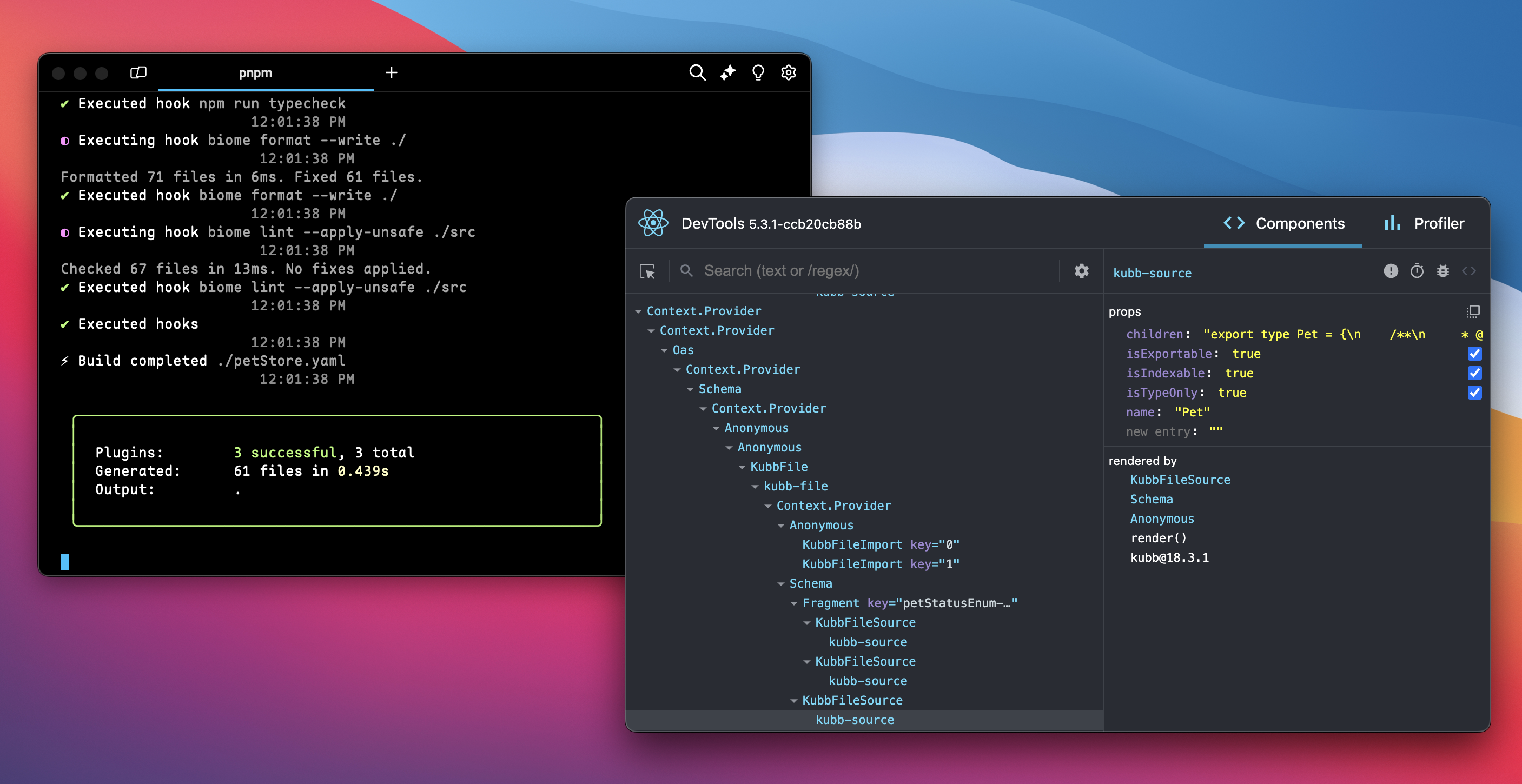
Kubb supports React DevTools out of the box. Enable integration by importing the devtools package in your kubb.config.ts file.
NOTE
Kubb runs npx react-devtools as part of the @kubb/react-fabric import.
Installation
Before using React DevTools, install the React package.
IMPORTANT
Requires Kubb version v3.0.0-alpha.11 or higher.
bun add -d @kubb/react-fabricpnpm add -D @kubb/react-fabricnpm install --save-dev @kubb/react-fabricyarn add -D @kubb/react-fabricUpdate kubb.config.ts
import { openDevtools } from '@kubb/react-fabric'

import { defineConfig } from '@kubb/core'
import { pluginOas } from '@kubb/plugin-oas'
import { pluginTs } from '@kubb/plugin-ts'

export default defineConfig(() => {
  openDevtools()

  return {
    input: {
      path: './petStore.yaml',
    },
    output: {
      path: './src/gen',
    },
    plugins: [
      pluginOas(),
      pluginTs(),
    ],
  }
})
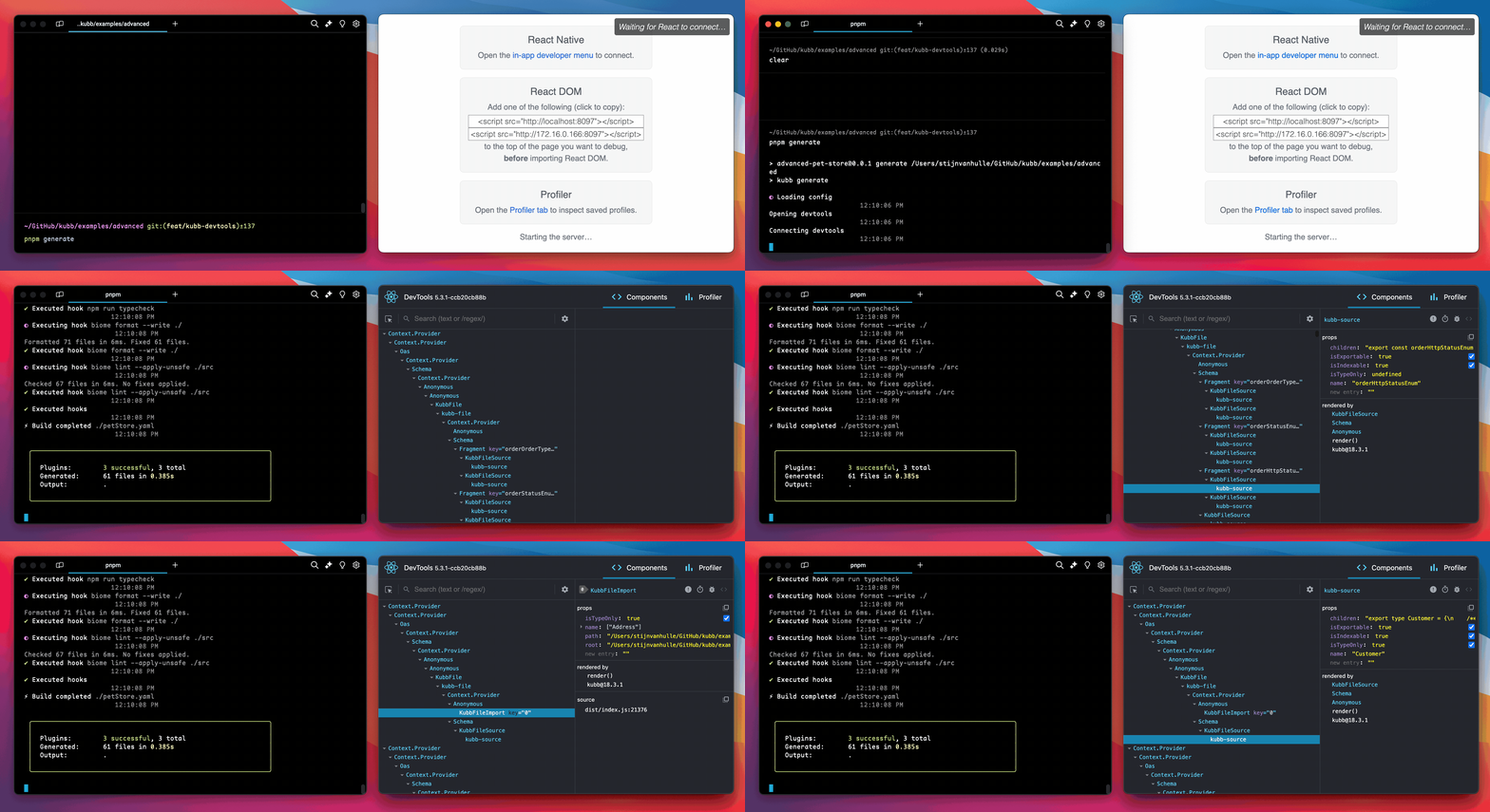
After startup, the component tree displays. Inspect all components.
NOTE
Kubb filters out internal components:
KubbApp, KubbRoot, KubbErrorBoundary, kubb-text, kubb-file, kubb-source, kubb-import, and kubb-export.
The system uses the internal components kubb-text, kubb-file, kubb-source, kubb-import, and kubb-export to convert the React tree into a file with proper imports, exports, and source code.
IMPORTANT
Quit your CLI manually via Ctrl+C after testing.
Node debugging
Use NODE_OPTIONS='--inspect-brk' kubb because Kubb is a CLI tool.
--inspect-brk stops the debugger immediately so you set breakpoints.
Event-driven logging
Kubb uses event-driven architecture for logging and progress tracking. The CLI supports multiple logger implementations that adapt to different environments:
Logger types
- Clack Logger (default) - Modern interactive CLI with progress bars using
@clack/prompts - GitHub Actions Logger - CI-optimized with collapsible sections using
::group::annotations - Plain Logger - Simple text output for basic terminals
- File System Logger - Writes logs to files
The system selects the logger automatically based on the environment, or use the defineLogger API for custom loggers.
Custom logger implementation
Create custom loggers by listening to KubbEvents:
import { defineLogger, LogLevel } from '@kubb/core'

export const customLogger = defineLogger({
  name: 'custom',
  install(context, options) {
    const logLevel = options?.logLevel || LogLevel.info

    context.on('lifecycle:start', (version) => {
      console.log(`Starting Kubb ${version}`)
    })

    context.on('plugin:start', (plugin) => {
      console.log(`Generating ${plugin.name}`)
    })

    context.on('plugin:end', (plugin, { duration }) => {
      console.log(`${plugin.name} completed in ${duration}ms`)
    })

    context.on('error', (error) => {
      console.error(error.message)
    })
  },
})
See the KubbEvents API documentation for a complete list of available events.