
@kubb/cli
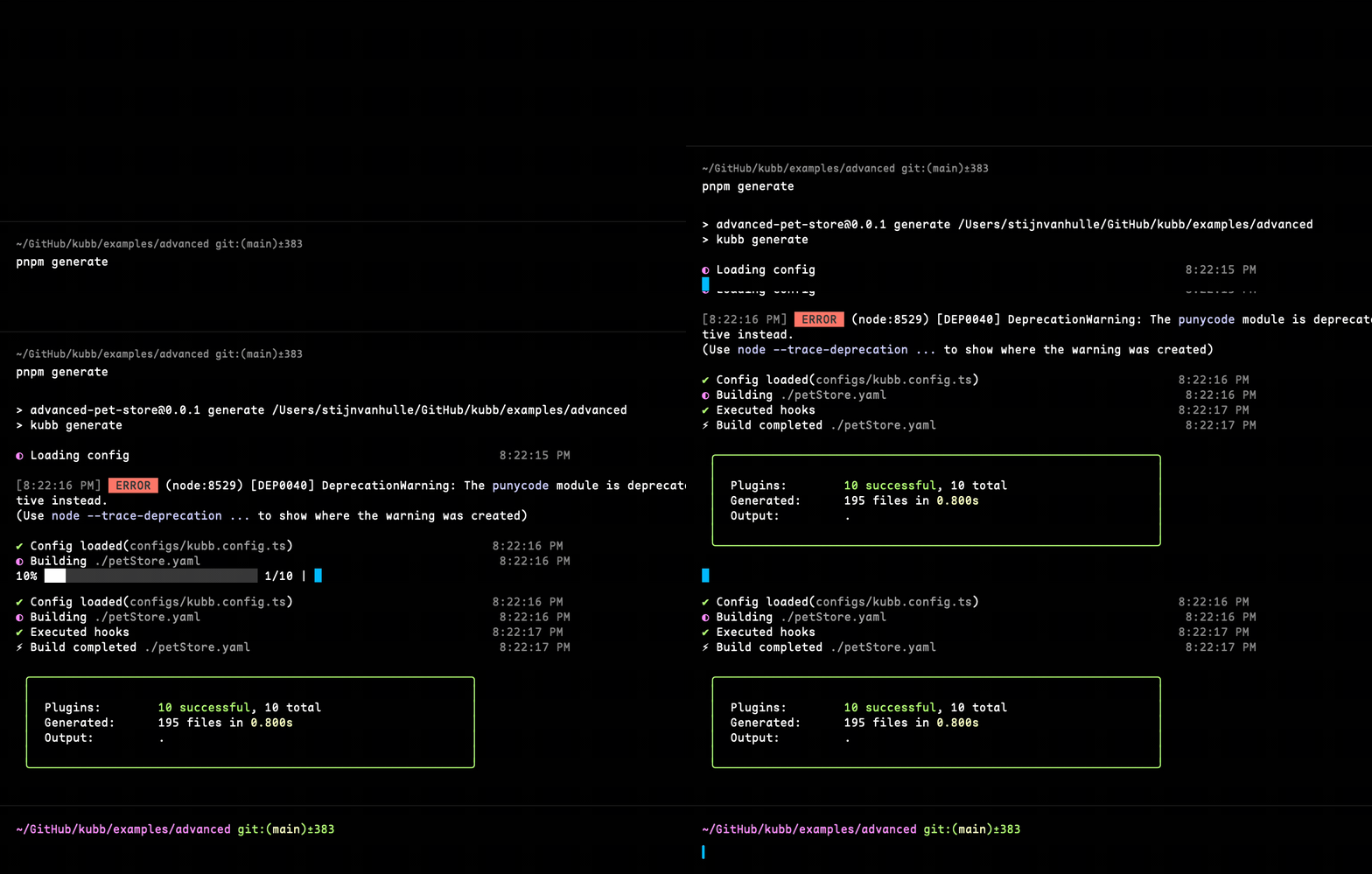
Generate files based on a kubb.config.ts configuration file using the Kubb CLI. The CLI displays progress updates including plugin execution status, file counts, and timing information during generation.
Installation
bun add -d @kubb/clipnpm add -D @kubb/clinpm install --save-dev @kubb/cliyarn add -D @kubb/cliUsage
kubb --config kubb.config.tsUSAGE kubb generate
COMMANDS
init Initialize a new Kubb project with interactive setup
generate [input] Generate files based on a 'kubb.config.ts' file
validate Validate a Swagger/OpenAPI file
agent Manage the Agent server
mcp Start the server to enable the MCP client to interact with the LLM.
Use kubb <command> --help for more information about a command.kubb init
Initialize a new Kubb project with an interactive setup wizard. This command helps you quickly scaffold a Kubb project by:
- Creating a
package.jsonif one doesn't exist - Detecting your package manager (
npm,pnpm,yarn, orbun) - Prompting for your OpenAPI specification path
- Asking for the output directory
- Letting you select which Kubb plugins to use
- Installing the selected packages
- Generating a
kubb.config.tsfile with your configuration
TIP
This is the recommended way to start a new Kubb project!
Usage
npx kubb initThe interactive wizard will guide you through the setup process:
┌  Kubb Init
│
◇  Where is your OpenAPI specification located?
│  ./openapi.yaml
│
◇  Where should the generated files be output?
│  ./src/gen
│
◆  Select plugins to use:
│  ◼ OpenAPI Parser (Required)
│  ◼ TypeScript (Recommended)
│  ◻ Client (Fetch/Axios)
│  ◻ React Query / TanStack Query
│  ◻ Zod Schemas
│  └ More...
│
◇  Installing packages with pnpm...
│
◇  Creating kubb.config.ts...
│
└  ✓ All set!

Next steps:
  1. Make sure your OpenAPI spec is at: ./openapi.yaml
  2. Generate code with: npx kubb generate
     Or start a stream server with: npx kubb start
  3. Find generated files in: ./src/gen
NOTE
The init command automatically selects @kubb/plugin-oas and @kubb/plugin-ts as recommended defaults.
kubb generate
Generate files based on a kubb.config.ts file
TIP
kubb generate and kubb will call the same generate functionality.
USAGE kubb generate [OPTIONS]

OPTIONS

                        -c, --config    Path to the Kubb config
  -l, --logLevel=<silent|info|verbose|debug>    Log level control
                         -w, --watch    Watch mode based on the input file
                         -v, --verbose  Override logLevel to verbose (shows plugin timings)
                         -s, --silent   Override logLevel to silent (shows plugin timings)
                         -d, --debug    Override logLevel to debug (shows all details)
                          -h, --help    Show help
Path of the input file(overrides the one in kubb.config.js)
kubb petStore.yamlOptions
--config (-c)
Path to the Kubb config.
kubb --config kubb.config.ts--log-level (-l)
silent: suppresses all log messages, warnings, and errorsinfo: logs warnings, errors, and informational messages (default)verbose: adds plugin timing breakdown and performance metricsdebug: shows all messages fromverboseplus detailed execution traces
kubb --log-level verbose--verbose (-v)
Enables verbose logging with plugin performance metrics. The summary shows plugin execution times and performance breakdown.
Output includes:
- Plugin timing breakdown with visual bars
- Performance metrics for slowest plugins
- All info-level messages
kubb --verbose--debug
TIP
Debug mode creates detailed log files in the .kubb directory:
.kubb/kubb-{name}-{timestamp}.log- Contains all debug messages with timestamps
After each generation completes, the CLI will display the exact location of the debug log file.
Debug mode provides comprehensive logging including:
- Setup phase details (configuration, plugins, paths)
- Plugin installation and execution timing
- Hook execution with duration measurements
- Schema parsing information
- File generation progress with paths
- Formatter/linter execution details
- Error messages with full stack traces
Use debug mode for:
- Troubleshooting generation issues
- Understanding plugin execution flow
- Performance analysis
- Debugging schema parsing problems
Alias for kubb generate --log-level debug
kubb --debugSee the Debugging Guide for more details on using debug mode.
--watch (-w)
Watch mode based on the input file.
kubb --watch--version (-v)
Output the version number.
kubb --version--help (-h)
Display the help.
kubb --helpkubb start
Start an HTTP server with SSE (Server-Sent Events) streaming for real-time code generation based on a kubb.config.ts file.
This command launches an HTTP server that provides:
- Real-time progress updates via Server-Sent Events
- RESTful API endpoints for configuration and health checks
USAGE kubb start [OPTIONS]

OPTIONS

                        -c, --config    Path to the Kubb config
  -l, --logLevel=<silent|info|verbose|debug>    Log level control
                         -v, --verbose  Override logLevel to verbose
                         -s, --silent   Override logLevel to silent
                         -d, --debug    Override logLevel to debug
                         -p, --port     Port for stream server
                         --host         Host for stream server
                          -h, --help    Show help
Path of the input file (overrides the one in kubb.config.js)
kubb start petStore.yamlOptions
--config (-c)
Path to the Kubb config.
kubb start --config kubb.config.ts--log-level (-l)
Control logging verbosity:
silent: suppresses all log messagesinfo: logs warnings, errors, and informational messages (default)verbose: adds plugin timing breakdowndebug: shows detailed execution traces
kubb start --log-level debug--port (-p)
Specify the port for the stream server. If not provided, an available port is automatically selected.
kubb start --port 3000--host
Specify the host for the stream server. Default: localhost
kubb start --host 0.0.0.0 --port 3000See the Stream Server Guide for complete documentation.
kubb agent
Start and manage the Kubb Agent Server, a HTTP server for code generation with WebSocket integration for real-time Studio communication.
IMPORTANT
@kubb/agent should be installed to use this command.
USAGE kubb agent [COMMAND] [OPTIONS]

COMMANDS
  start    Start the Agent server

Use kubb agent <command> --help for more information about a command.
kubb agent start
Start the Agent server with your Kubb configuration.
USAGE kubb agent start [OPTIONS]

OPTIONS

                        -c, --config    Path to the Kubb config (default: kubb.config.ts)
                         -p, --port     Port for the server (default: 3000)
                         --host         Host for the server (default: localhost)
                         --allow-write  Allow writing generated files to the filesystem
                         --allow-all    Grant all permissions (implies --allow-write)
                          -h, --help    Show help
Basic Usage
kubb agent startWith custom config path:
kubb agent start --config ./my-config.tsWith custom host and port:
kubb agent start --host 0.0.0.0 --port 8080Allow filesystem writes:
kubb agent start --allow-writeGrant all permissions (implies --allow-write):
kubb agent start --allow-allEnvironment Setup
The agent automatically loads environment variables from:
.env- Base environment variables.env.local- Local overrides (for secrets/local config)
Create a .env file in your project:
PORT=4000
KUBB_ROOT=./
KUBB_CONFIG=./kubb.config.ts
KUBB_AGENT_TOKEN=your_agent_token # this token should be created in the Kubb Studio interface, without you cannot interact
KUBB_STUDIO_URL=https://studio.kubb.dev
KUBB_ALLOW_WRITE=true
KUBB_ALLOW_ALL=false
Features
- ✅ Automatic config loading from environment variable (
KUBB_CONFIG) - ✅ Bidirectional WebSocket communication with Kubb Studio
- ✅ Use of Kubb generate behind the scenes
API Endpoints
Once the server is running, you can interact with it via HTTP:
GET /api/health
Check server health status.
curl http://localhost:4000/api/healthkubb validate
Check syntax and structural errors in Swagger/OpenAPI files. The command provides feedback as errors or warnings.
Use in CI pipelines, pre-commit hooks, and development for early error detection.
IMPORTANT
@kubb/oas should be installed
TIP
The validation uses oas-normalize to validate Swagger/OpenAPI files.
USAGE kubb validate [OPTIONS]

OPTIONS

  -i, --input    Path to Swagger/OpenAPI file
   -h, --help    Show help
Options
--input (-i)
Path to the Swagger/OpenAPI file.
kubb validate --input petstore.yamlkubb mcp
Start a Model Context Protocol (MCP) server that exposes Kubb's code generation to AI assistants like Claude, Cursor, and other MCP-compatible tools.
The MCP server allows AI assistants to generate code from OpenAPI specifications using conversational commands.
IMPORTANT
@kubb/mcp should be installed to use this command.
bun add -d @kubb/mcppnpm add -D @kubb/mcpnpm install --save-dev @kubb/mcpyarn add -D @kubb/mcpUsage
npx kubb mcpThis starts an MCP server that communicates via stdio (standard input/output). MCP clients like Claude Desktop and Cursor can connect to this server.
For more information about configuring MCP for Kubb, see using Kubb MCP.
Telemetry
The Kubb CLI collects anonymous usage data after each kubb generate run to help improve the tool. No OpenAPI specs, file paths, plugin options, or secrets are ever collected.
Disable telemetry at any time:
# Standard cross-tool opt-out (https://consoledonottrack.com)
DO_NOT_TRACK=1 kubb generate

# Kubb-specific opt-out
KUBB_DISABLE_TELEMETRY=1 kubb generate
See the Telemetry documentation for full details on what data is collected and how to opt out permanently.